
Ready to Save Hours and Book More Tattoos?
Try Tiny Parrot Free for 14 Days
Try Tiny Parrot Free for 14 Days
If your tattoo appointment process includes a consultation session before confirming bookings, you can add a consultation link to the Tiny Parrot app.
If you don’t have a consultation link yet, you can create one using Google Calendar’s Appointment Schedule feature. Here’s how:
Go to https://calendar.google.com.
Log in with your Google account if you haven't already.
You’ll see the Google Calendar dashboard.
Click the “+ Create” button in the top-left corner.
From the dropdown, choose "Appointment schedule."
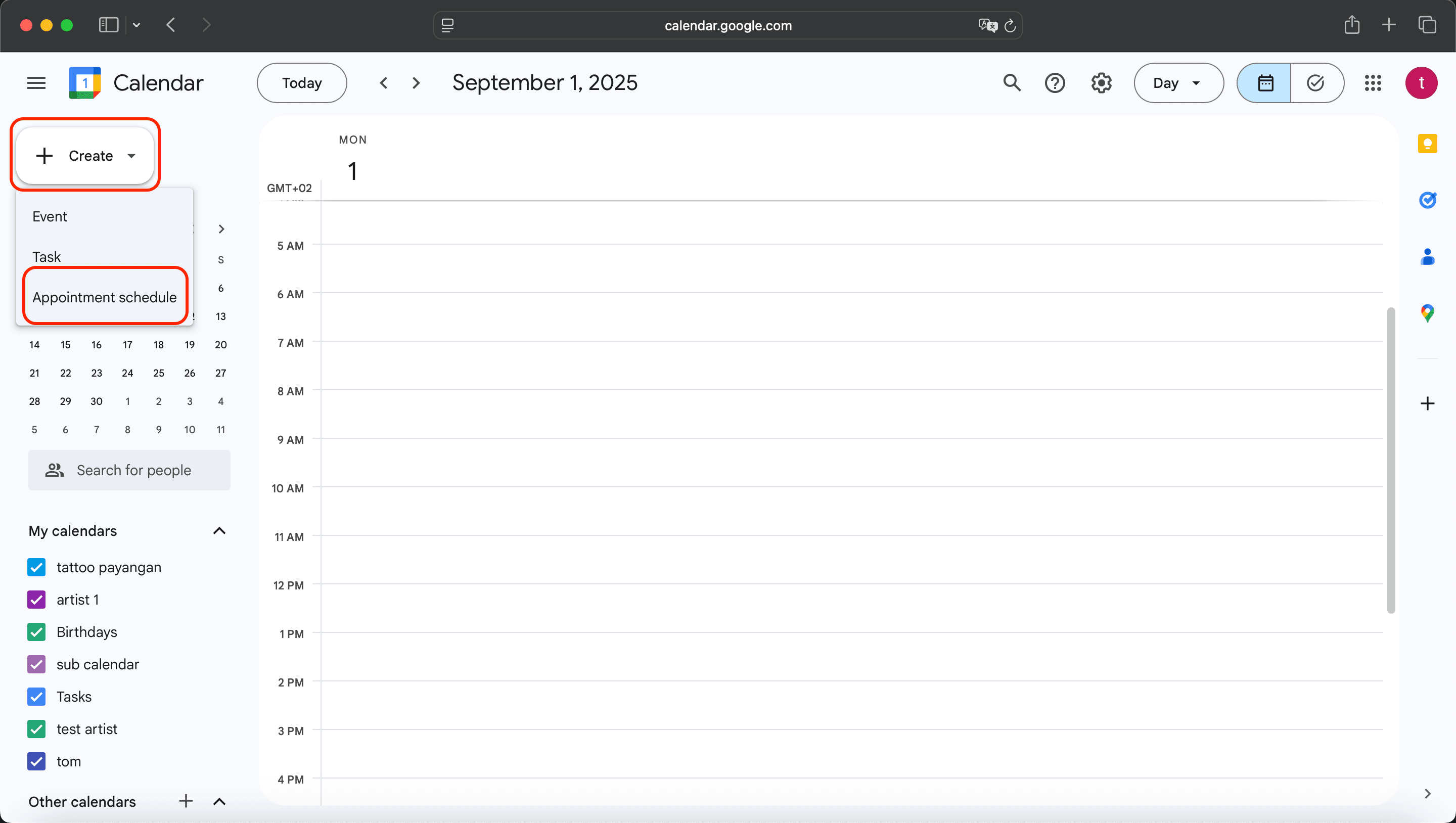
A form will appear like this:
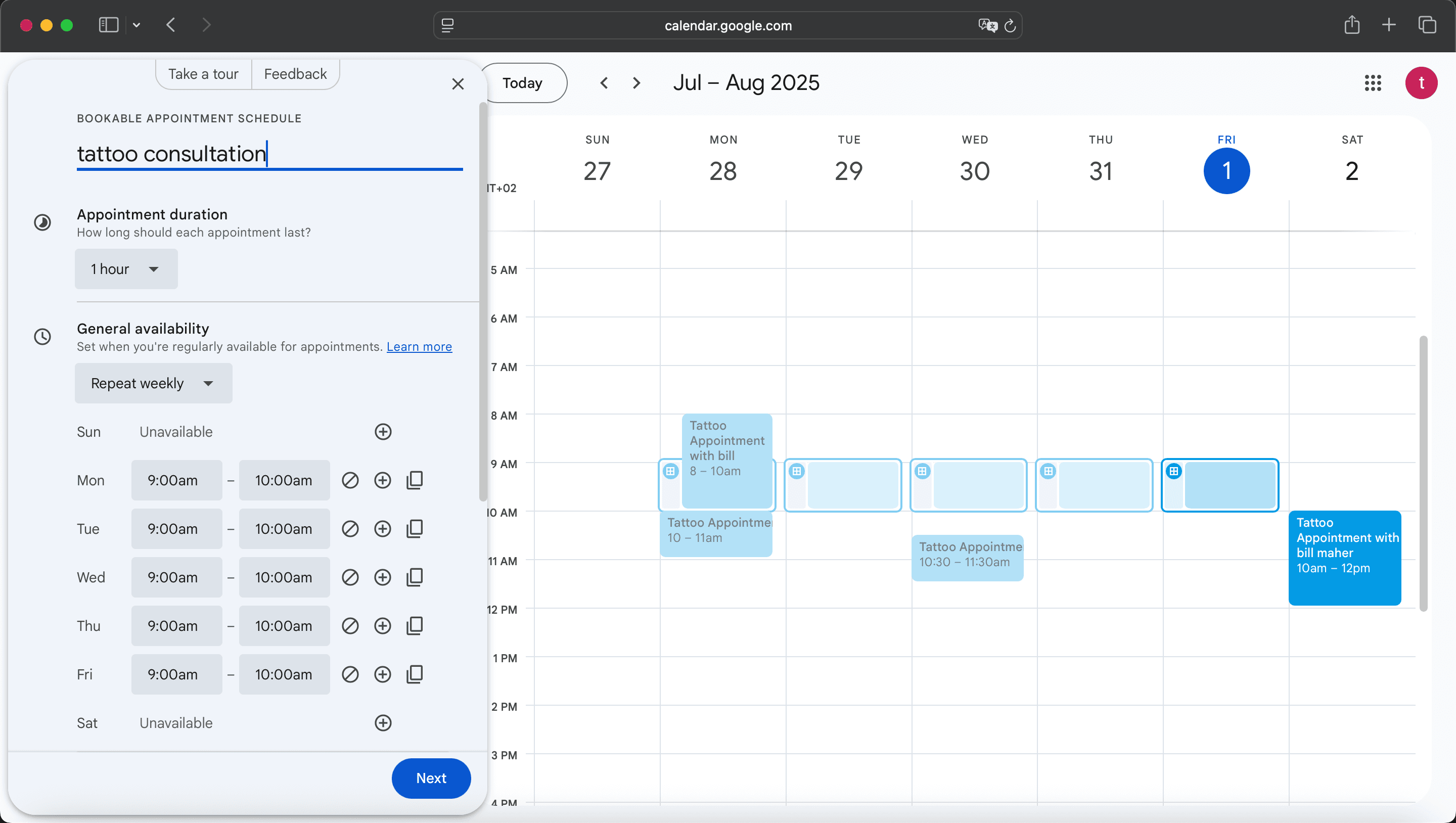
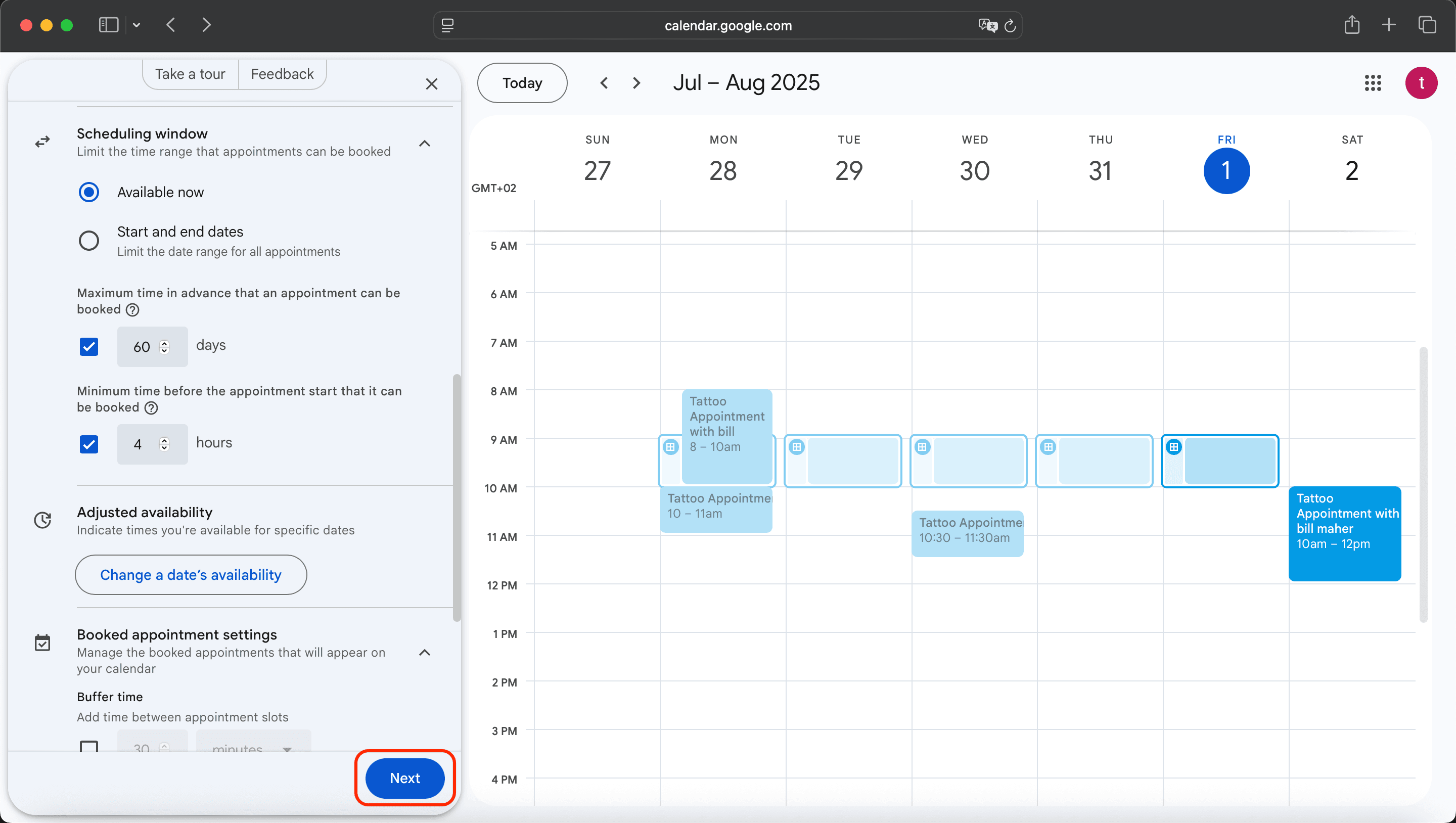
Enter the necessary information:
Once you're done, click “Next.”
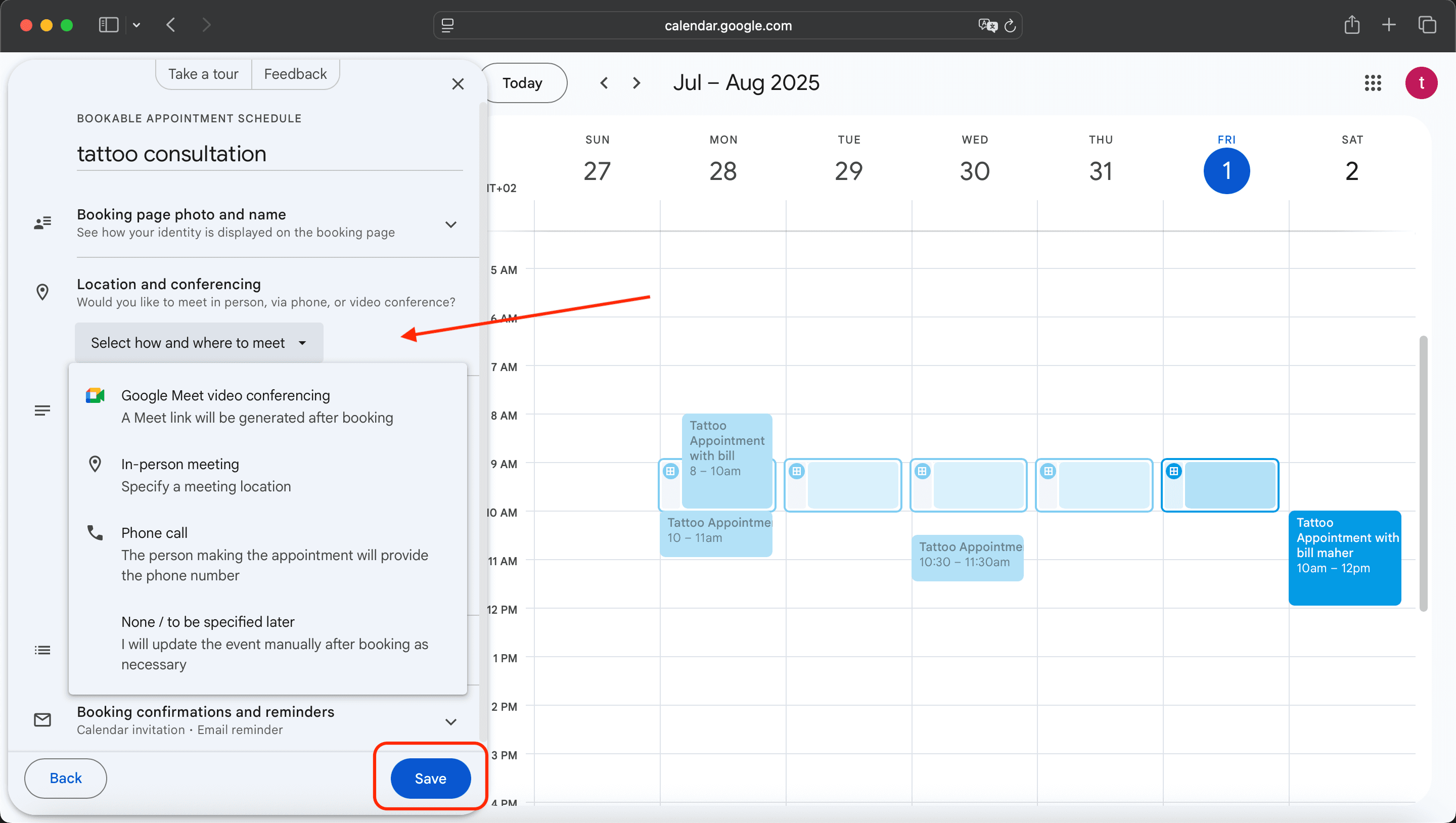
Choose whether to add a Google Meet link or another meeting method.
After reviewing everything, click “Save.”
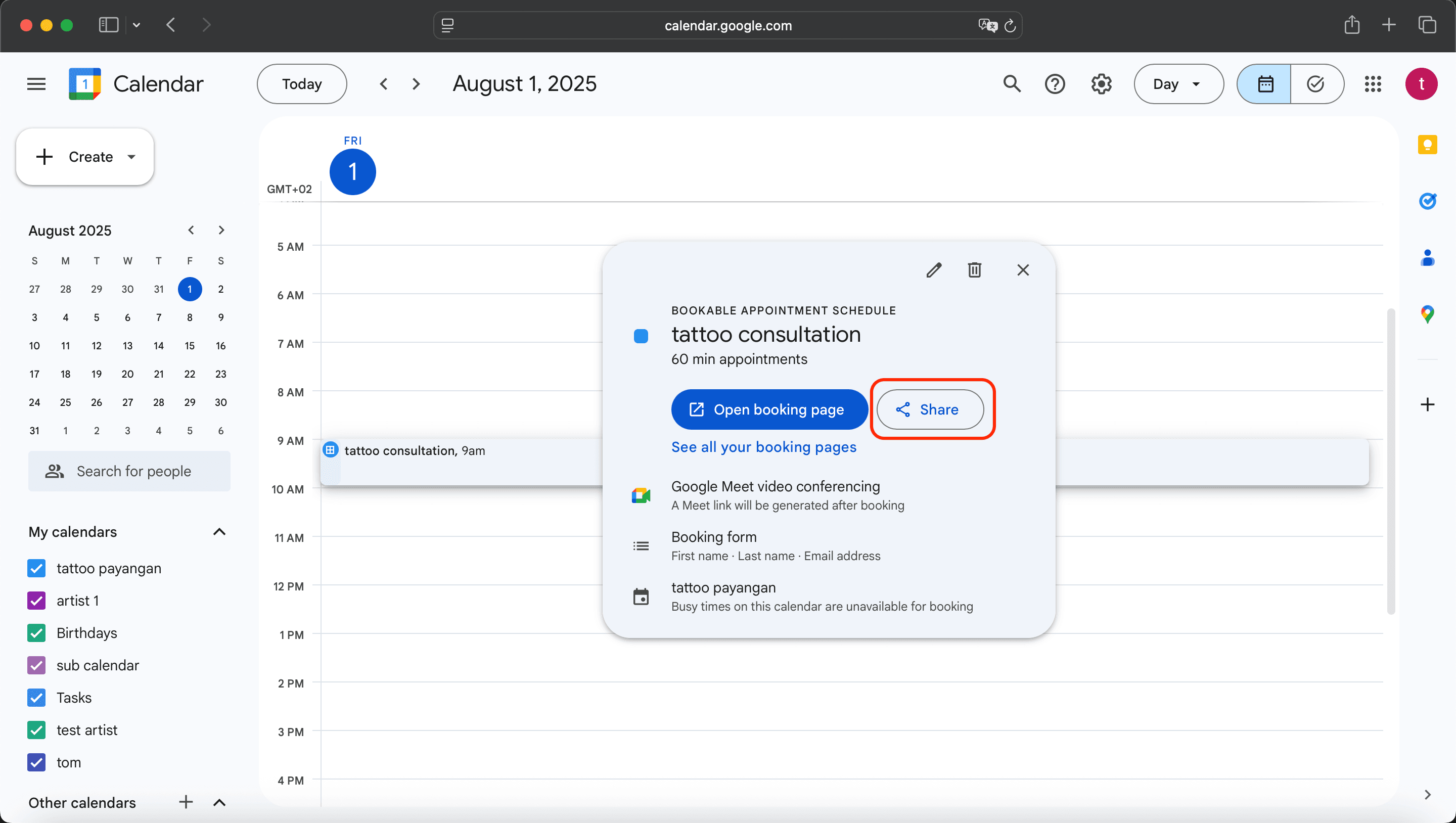
After saving, a pop-up window will appear.
Click the “Share” button.
Another dialog will appear—click “Copy link.”
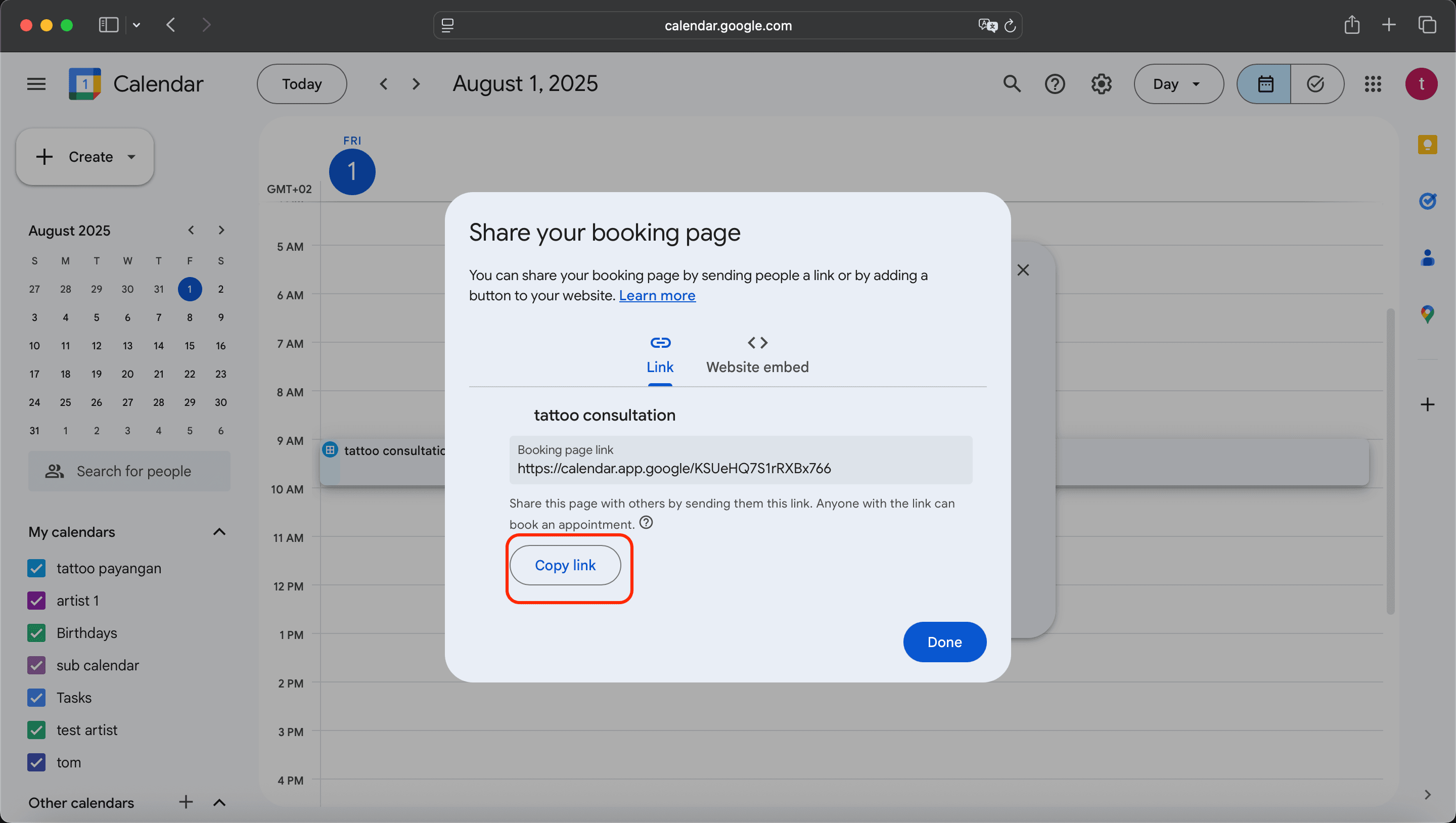
Paste and save the copied consultation link into the Tiny Parrot App under your consultation settings.
🎉 Done! Your tattoo consultation link is now live and can be shared with your clients.
Need help? Reach out to us anytime!