
Ready to Save Hours and Book More Tattoos?
Try Tiny Parrot Free for 14 Days
Try Tiny Parrot Free for 14 Days
To keep your tattoo studio organized and give each artist a clear overview of their appointments, we recommend setting up a separate calendar for each artist in your Google Calendar.
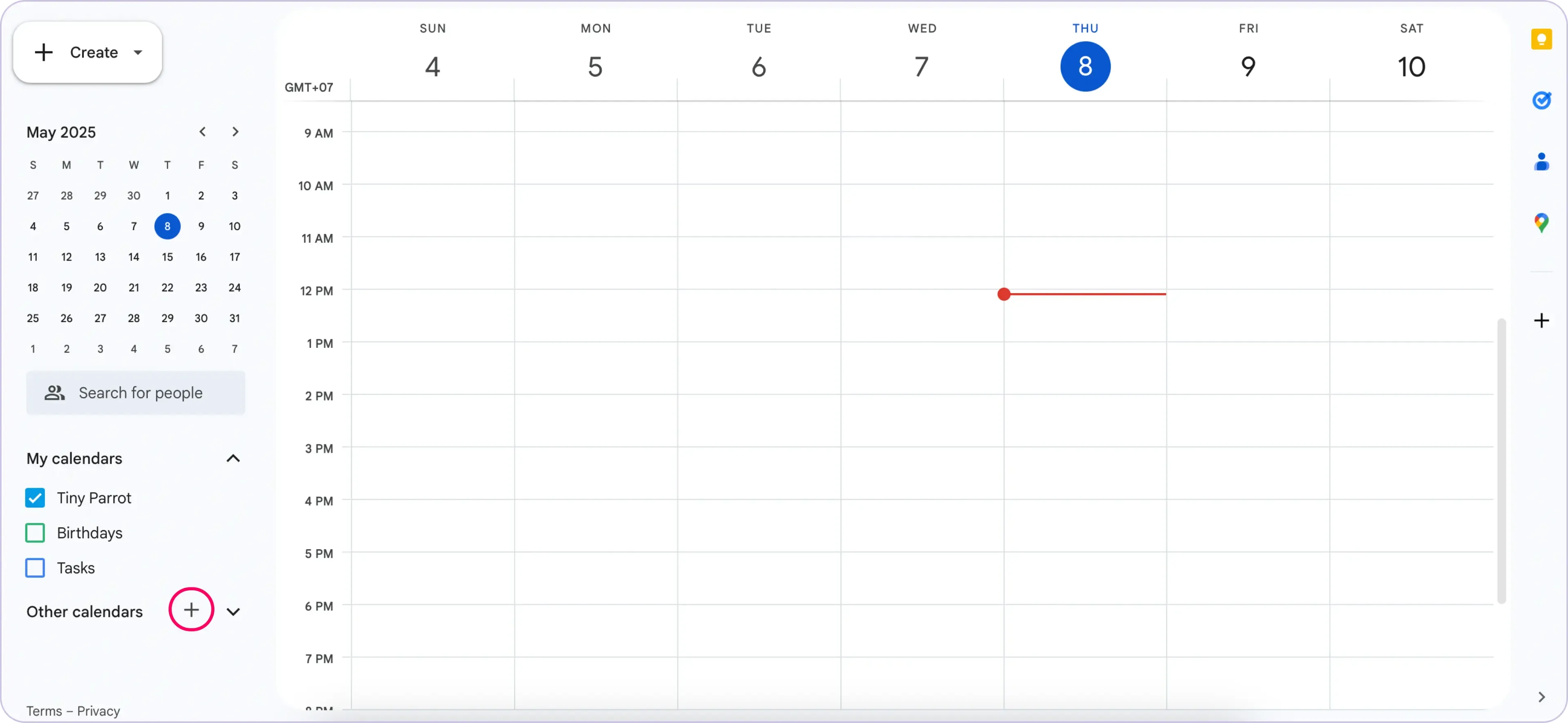
On the left-hand side under “Other calendars”, click the plus sign (+)
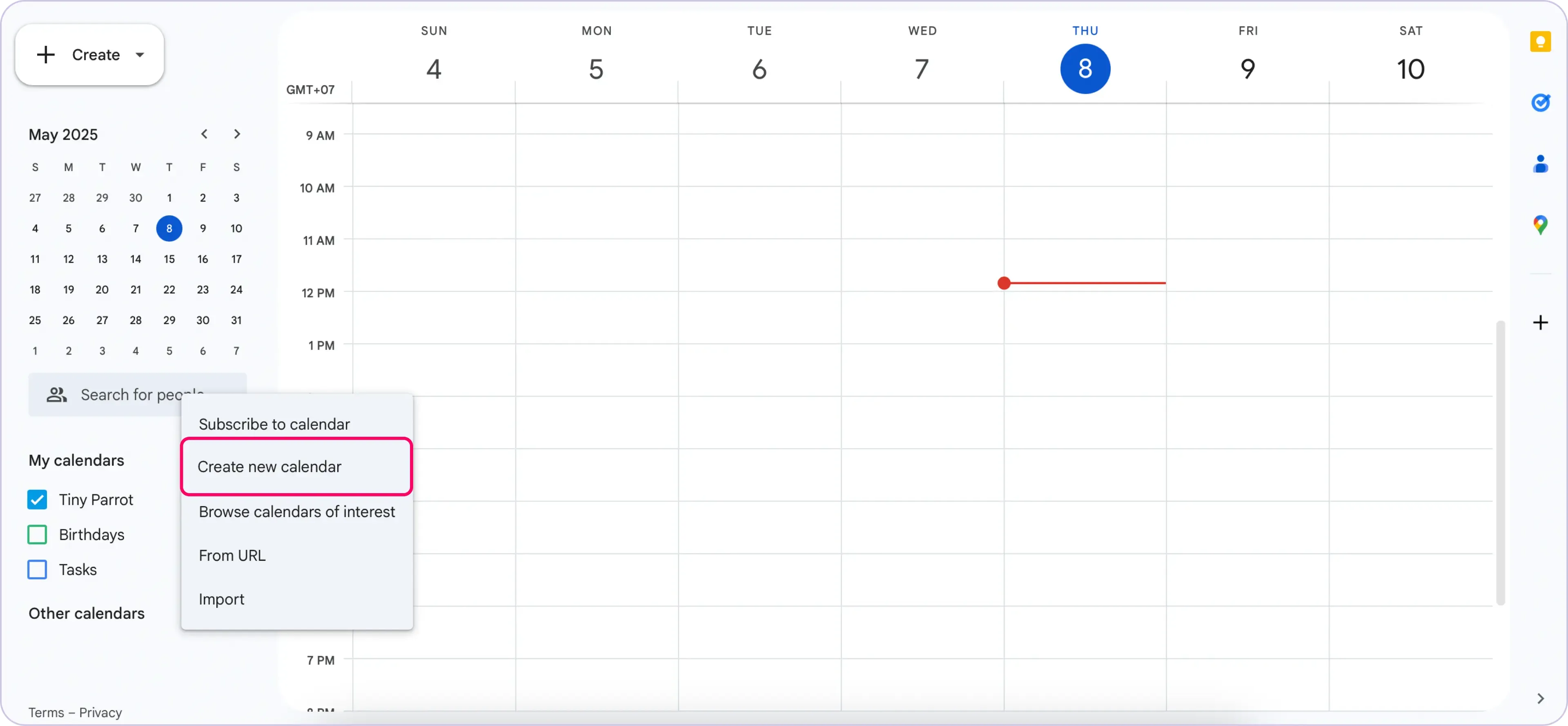
A new page will open where you can set up your calendar.
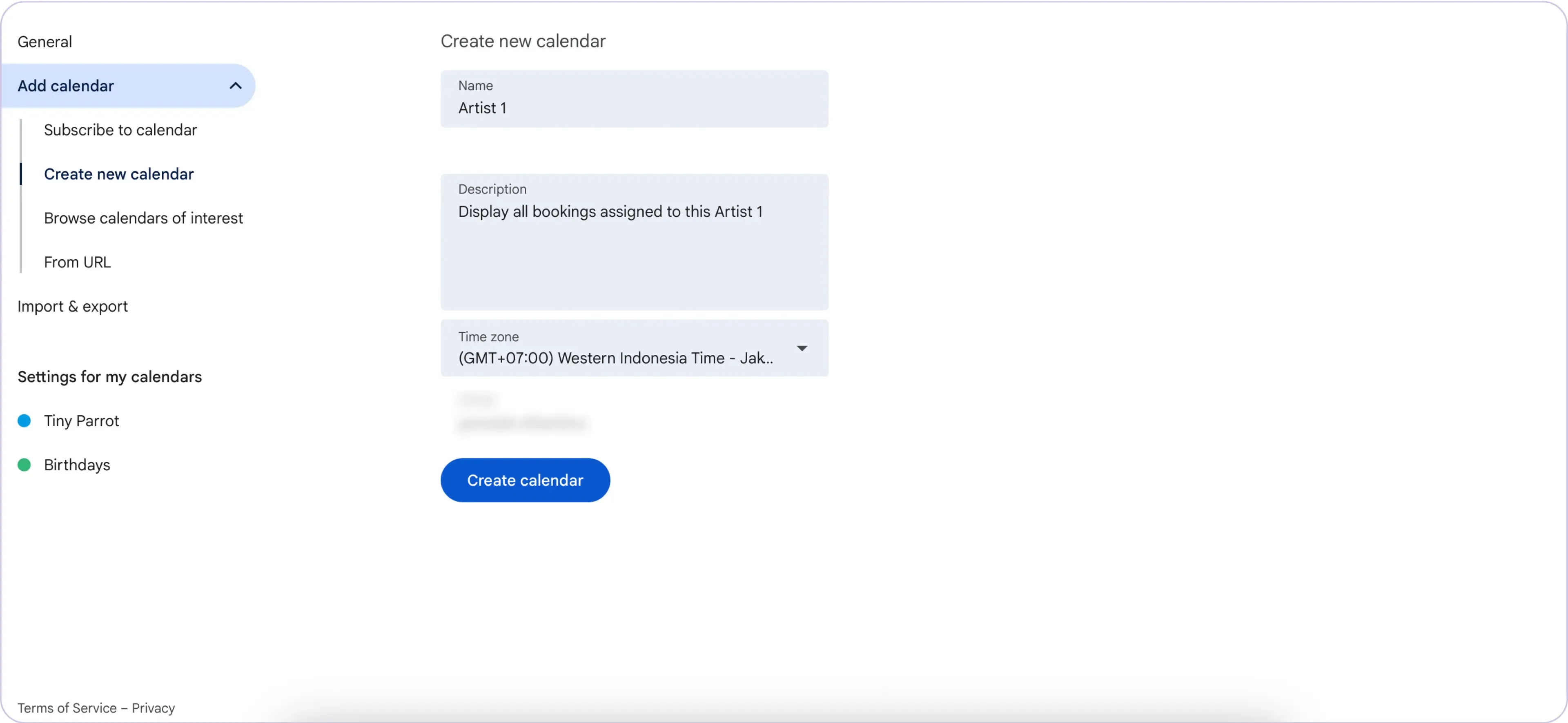
Give your calendar a name like “Artist 1”.
Add a description if you like, and check that the time zone is correct.
Once done, click “Create calendar.”
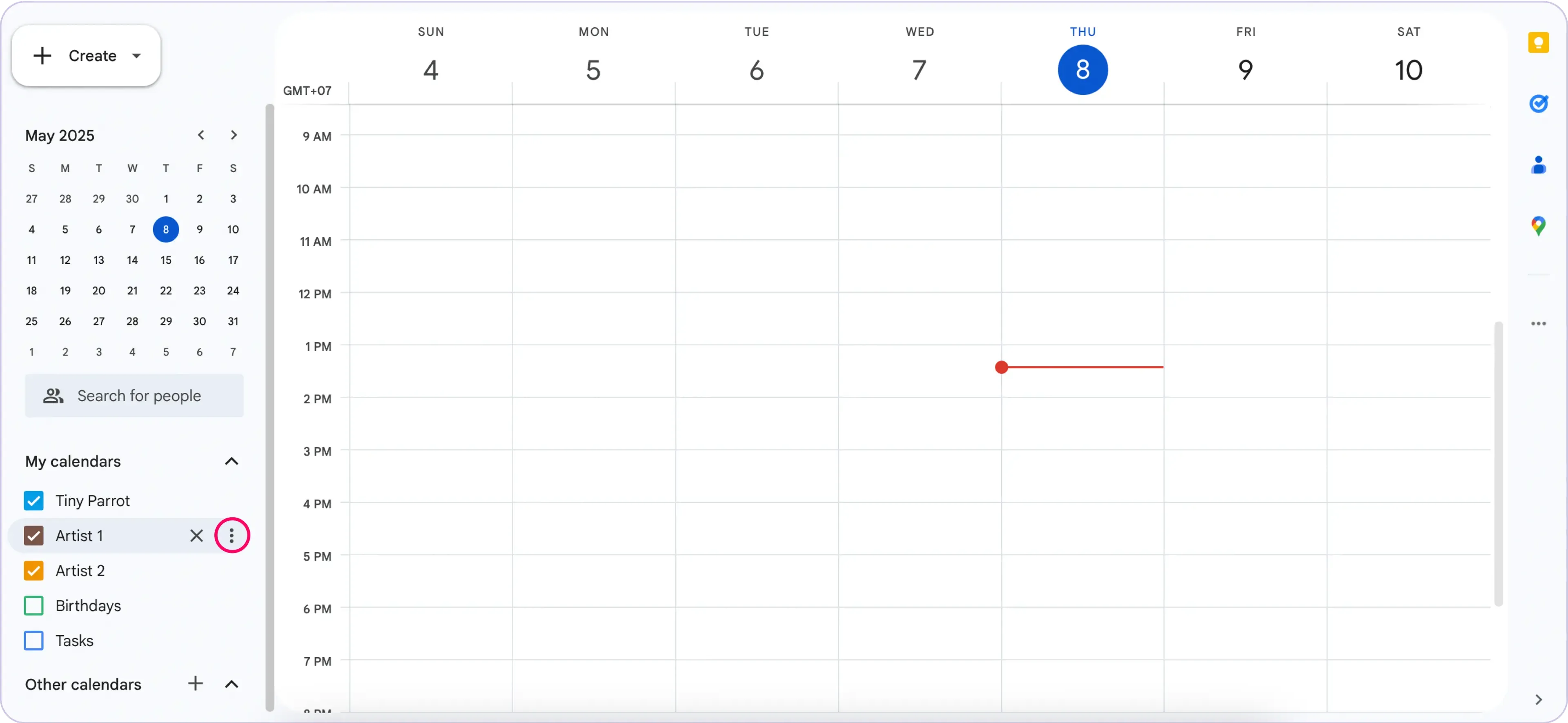
Back in the calendar view, find your new calendar under “My calendars.”
Hover over the name, click the three-dot menu, and choose a color to keep everything visually organized.
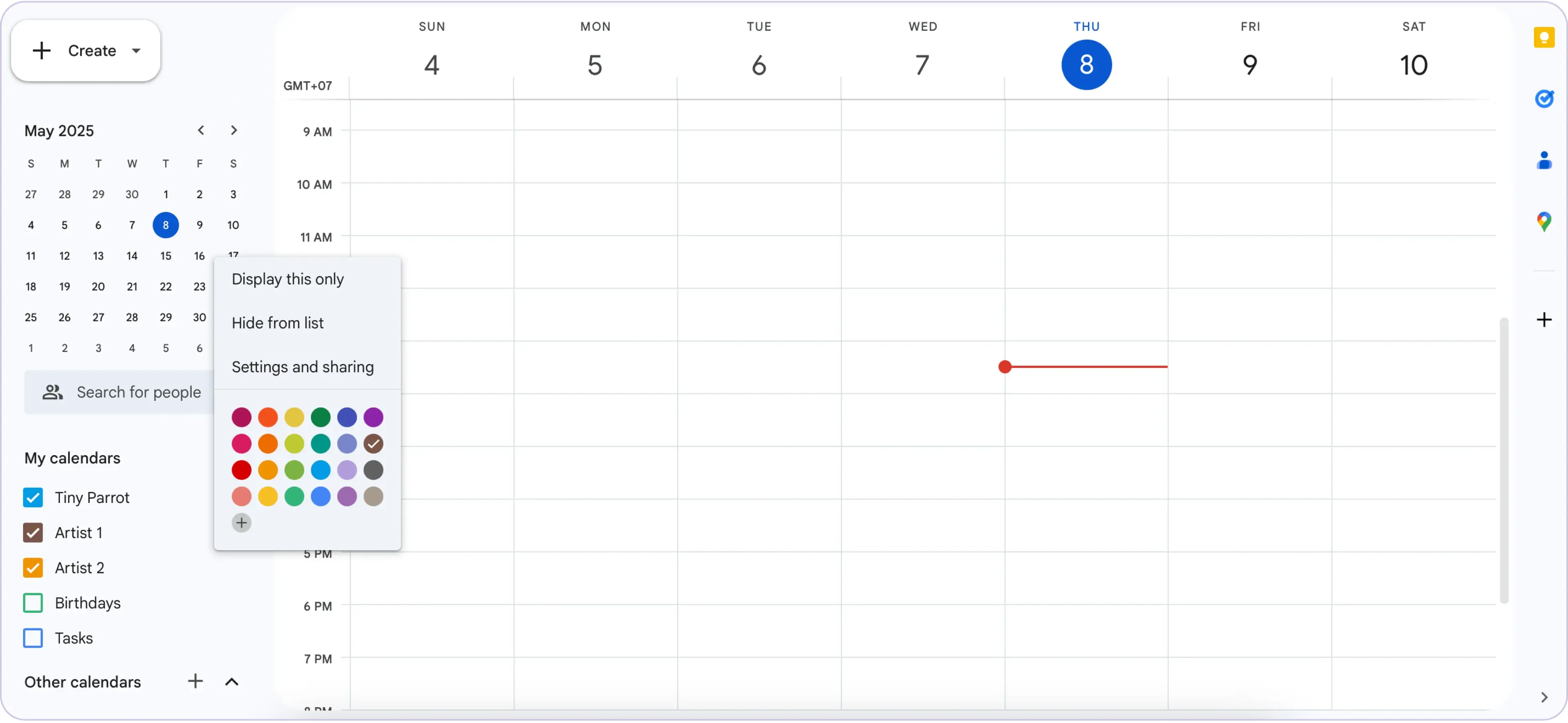
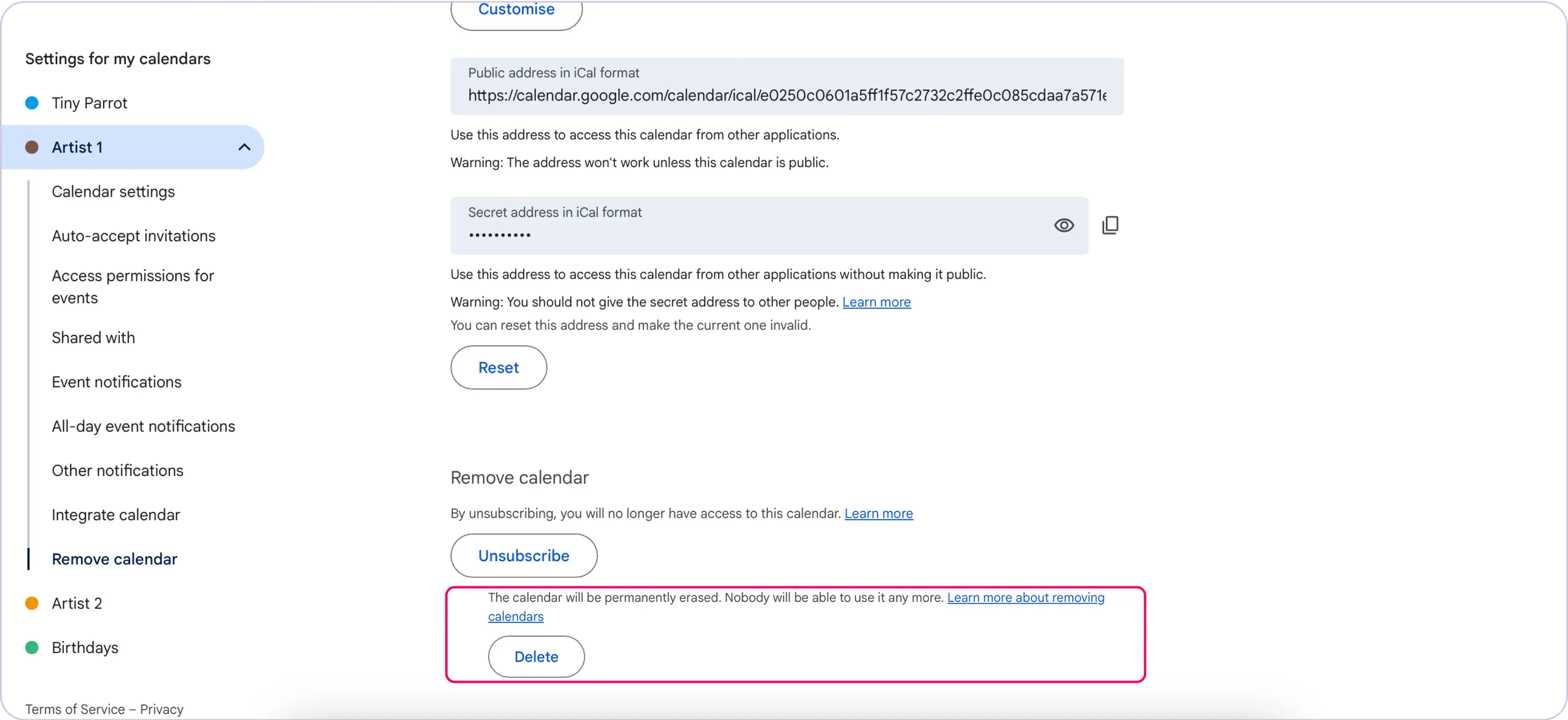
You can choose between hiding, unsubscribing, or deleting a calendar:
Creating a separate calendar for each artist:
Once you’ve set it up, connect each sub-calendar inside the app and start assigning bookings!